

At Rover, the Developer Experience team is chartered with enabling our software engineers to do their best work by giving them the best tools. In the last six months, one kind of tool in particular has dominated industry conversations about the software development process: AI coding agents. Tools like Claude Code, Codex, Gemini CLI, Roo Code, and Copilot Agent Mode have opened up a new way to build software, in which an LLM writes code while engineers direct it through prompting and reviewing its output.
We were optimistic about AI coding agents after using them ourselves, and we wanted to see our engineers try them with real tasks on our codebase. At the same time, we were aware that these tools have a learning curve. It takes time and practice to become productive with them. One of us first tried Claude Code back in April this year, and remembers an exhilarating but also disorienting experience: when you first use an AI coding agent, you don’t know exactly what to tell it, what it can figure out on its own, or how to direct it effectively. It feels like you’re at the controls of a piece of heavy construction equipment without having had a training course. This creates a barrier to adoption. Our engineers are busy building and shipping features for our customers, and not everyone knows where to begin or has time in their day to learn a new way of working.
We wanted to make it easy for our engineers to try coding agents, giving them guardrails and the chance to learn in a friendly low-pressure environment where they could get support when they had questions. That line of thinking led us to design a company-wide experiment, a hands-on, low-pressure workshop series we called Agentic Afternoons.
Laying the Groundwork
Before we could host a workshop, we first had to make it easy for our engineers to get started. This required researching and testing AI agents, and deciding on a strategy for rolling them out to our engineering teams.
When you look at the deluge of blogging and YouTube videos about AI coding agents, you’ll find endless content from solo developers using agents to create small greenfield apps, but relatively little about how companies are rolling them out to many teams of professional software engineers working on a large mature codebase. Exceptions included a blog post from the CTO of Tanda, and the indispensable Pragmatic Engineer newsletter. After gathering what information we could, we set out to devise our own approach.
We decided to offer our engineers a clear “golden path” to getting started: one opinionated, supported, and well-documented route to coding with an AI agent. The range of agents, LLMs, and configurations for AI coding tools can be overwhelming, and not everyone wants to spend hours learning about them all or setting up custom configuration. We settled on recommending and supporting one standardized tool, with the goal of configuring it so it “just works” with almost zero setup. We would enable engineers to set up other tools if they wanted, but we expected most people would stay on the golden path.
For our “golden path” AI agent, we chose Claude Code, for several reasons:
- It’s one of the most popular and best-loved tools.
- It is a fairly “low-level” tool that gives mostly unmediated access to the LLM and clearly surfaces the tool calls it is making. AI agents are “leaky abstractions” and to use them well, you sometimes need to understand what’s happening under the hood. We didn’t want an AI agent that was too much of a black box.
- Claude Code is one of the most configurable and customizable AI coding agents, and particularly well-suited for company-wide configuration, with multiple levels of settings at the organization, project, and individual user level. This mattered to us because we wanted to add sensible defaults that would make the tool easy to use, as well as centrally-managed security policies and cost monitoring. We also wanted to be able to roll out new models and customizations seamlessly, without our engineers having to make manual changes. At the same time, we wanted to make sure power users could tinker with their personal settings and customize them to fit their needs.
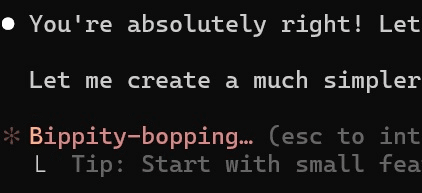
We love using Claude Code, but we wish it wouldn’t always tell us we’re Absolutely Right quite so much.
We use GitHub Codespaces for our development environment, which makes it easy to add new tools for all our engineers. We added a devcontainer feature that would install Claude Code by default in a codespace when added to any GitHub repo. All engineers had to do was launch their codespace in VS Code, run one command to authenticate, and then run “claude” in a terminal and they were ready to go.
We also added various settings and customizations for Claude Code, such as hooks for measuring adoption and cost monitoring. We rounded things out with a CLAUDE.md explaining what our app is, how it’s laid out in our monorepo, and how to run important commands like tests and linters. Claude reads this file into the LLM context by default, so the agent always starts with some basic Rover-specific knowledge. Our starter CLAUDE.md provided a base that teams with specific domain expertise could add to later to give even more context to the LLM.
Another important area to lay the groundwork was in education. Claude Code is a complex tool, but it and all other coding agents have some simple ideas at their heart: they put an LLM in a loop and give it access to tool calls. We wanted to demystify Claude Code for our engineers and give them a rough model of how it and other coding agents work. Knowledge is power, and understanding how a tool works makes you a better user of that tool and more equipped to troubleshoot it when it breaks. With this in mind, Nadia (a Senior Staff Engineer in our platform division) gave a presentation in our biweekly “Tech & Treats” series of knowledge-sharing talks on “What is an AI coding agent?”, delving into how AI agents actually work under the hood.
Our First Agentic Afternoon
Once we’d laid the groundwork, it was time to give everyone a chance to try an AI agent for themselves. We decided to dedicate one full afternoon to a workshop in which engineers would work with Claude Code on the Rover codebase. The workshop’s primary goal would be to help engineers get started, but it would also help us on the Developer Experience team: we wanted to know more about what kinds of tasks AI agents did well with on our codebase, and what tasks were more difficult. Our Agentic Afternoon would be a big experiment for us to learn more about how AI agents could improve our daily workflows.
But running a company-wide workshop takes more than scheduling time on the calendar. It needs the right framing and an environment that makes learning feel both enjoyable and relevant to day-to-day work. At the time, some of our feature teams were deep in delivery mode, so we had to make sure to justify why they should spend half a day learning a new tool. To keep the workshop relevant, we asked everyone to bring a ticket from their backlog. That way, just by participating, they would at least advance some work on their team’s roadmap.
To make participation easy, we brought the workshop to our engineers. It began at lunch on one of the days when most of us are in the office, with lunch boxes waiting for everyone. The first task was simple: watch the kickoff presentation over lunch. One of us presented to teams in our Barcelona office, and the other in Seattle. We started by emphasizing that the real goal of the workshop was for us all to learn something, and that working effectively with AI agents is a new kind of skill that takes time and practice to acquire.
We asked engineers to aim for no directly human-authored code, generating all the code for a PR via Claude Code. The engineer would be in the loop reviewing code and prompting the agent to make changes, but would not make any manual edits. We emphasized that this was an artificial constraint to encourage learning – not something you need to strive for in practice. This turned the afternoon into a fun challenge and ensured that participants would engage with Claude Code as closely as possible by helping it correct any mistakes.
We made sure to explain how writing code with an agent is different from engineers’ standard development workflow. This involved introducing context-engineering and explaining how important it is to keep reminding ourselves that “if it’s not in the training data or in the context, the LLM won’t know it.” We went through practical examples of how to give clear, detailed instructions and how to provide the right context so the agent could operate effectively within the Rover codebase. We also discussed the limits of the technology, such as how agents can hit context limits, forget earlier steps, or struggle with very large files. We made sure to cover when and how to step in and correct course by re-prompting or rewinding the agent’s context history. Finally, we reminded everyone not to expect instant success, and that if the AI agent did not do well on a particular task, that would be really useful information they could share.
One of the most important practices we demonstrated was how to begin each task by asking Claude Code to make a plan (“plan mode”). Engineers were encouraged to review that plan, adjust it where necessary, and only then move into execution. This approach helped make the process more deliberate and structured. It also gave engineers a clear moment to pause, reflect, and steer the agent before any code was written, so that they didn’t discover the agent was going down the wrong path only after wasting a lot of time and tokens.
We also stressed that engineers should review the generated code carefully, encouraging them to think of Claude Code as a collaborator who can work fast but still needs supervision and guidance. This perspective helped instill from the beginning a sense of ownership and responsibility for code produced during the session. Engineers were reminded that they remained responsible for every line generated by the agent and should review it carefully before committing changes.

Claude Code occasionally makes some questionable decisions!
Ultimately, human engineers are responsible for everything that ships to production.
The presentation closed on a simple message: AI agents are a force-multiplier to amplify our skills, not a replacement for software engineers. We encouraged the team to use them especially for work that feels repetitive or tedious, freeing time and attention for tasks that require creativity and judgment.
Once the session began, things quickly became lively. In the dedicated Slack channel, engineers compared notes, exchanged prompts, and joked about how often Claude Code assured them that they were “absolutely right”. The workshop became a space where curiosity and humor mixed easily with genuine learning.
We kept track of the tasks in a shared document, noting which ones were completed successfully and if any manual intervention was required after the workshop to get to a pull request that could actually be merged. This helped us see patterns in where the agent performed well and where it struggled. At the end of the session, we had an informal discussion where everyone was encouraged to share their experiences so that the whole team could learn from one another.
Results and What Comes Next
Our Agentic Afternoons were well-attended, with three-quarters of our entire engineering workforce participating and trying out Claude Code. We ended up with about half the participants getting to a merged PR. Some engineers said they also got a lot of value from trying Claude even if they didn’t end up merging a PR; for example, one engineer used it to sketch out a proof of concept for a refactor. Popular categories of tasks included feature flag and experiment cleanup, bug fixes, small UI/UX improvements, and refactoring. (Although these kinds of tasks are certainly well suited to AI agent use, this does not sample the full range of tasks it’s suitable for, as we explicitly asked engineers to choose a small task they could complete during the afternoon.)
After the workshop, we saw a clear increase in the number of engineers using Claude Code and other AI agents as part of their regular workflow, with less than 20% (measured by weekly active users) using an AI agent before the event, and over 50% the week after. Today, 77% of our engineers are active users of an AI coding agent. Of course, we recognize that not every software development task benefits from AI, and we leave it up to our engineers to decide when to make use of one.
The workshops provided us with a lot of useful feedback and ideas for improving the tools further. Soon after the workshop, we rolled out a new way to access LLMs via the LiteLLM Proxy, making launching Claude Code even easier and also opening up access to a range of other coding agents and models. More recently, we’ve been adding MCP servers that the agent can call to pull in more context from external sources like documentation or production observability tools, or to interact with our developer environment by querying the local database or using the browser to navigate the application.
We had expected to spend quite a bit of money during the workshop, as AI coding agents are famously greedy for LLM tokens. We considered this money well-spent, as the expense would be justified by the learning experience and the productivity gains AI agents could bring. In fact, we found that we spent slightly more on lunches for all our engineers than on LLM token use, which puts the cost into perspective! We plan to offer more workshops – still with lunch, of course – later this year.
One of the biggest questions our industry is asking right now is: do AI coding agents really make software engineers more productive, and if so, by how much? Measuring engineering productivity gains from AI is a difficult and subtle problem. At Rover, we measure what we can but we also lean on trusting our engineers. They are the best judges of whether coding agents make them more effective, but for them to make that call we needed to make sure they had easy access to the tools, resources for learning how to use them, and dedicated time to try them and ramp up on this new way of working. That was the aim of our workshops. After that, if a majority of our busy engineers adopt the tools, that is a strong indirect signal that they are providing a productivity boost. Our engineers’ first priority is shipping high-quality bug-free features to our customers, and if the tools help them do that more efficiently, they will keep using them. We trust our engineers to make that call.